Difference between revisions of "Reporting"
Jump to navigation
Jump to search

Paul Chapman (talk | contribs) |
Paul Chapman (talk | contribs) |
||
| Line 1: | Line 1: | ||
==Reporting in Ellserve== | ==Reporting in Ellserve== | ||
| − | Ellserve reporting is designed to output | + | Ellserve reporting is designed to output data in user-defined formats either to screen in html format or as a downloadable csv file. |
Useful report definitions can be stored for later use using the same [[Date Picker Configuration#Using the date picker|absolute/relative date settings]] used in on-screen controls. | Useful report definitions can be stored for later use using the same [[Date Picker Configuration#Using the date picker|absolute/relative date settings]] used in on-screen controls. | ||
| Line 18: | Line 18: | ||
| + | Reporting provides access to the following data tpes: | ||
| + | * [[Time Series Data|Time series (monthly)]] | ||
| + | * [[Descriptive Data|Descriptive (account and ICP properties)]] | ||
| + | * [[User-defined|User-defined]] | ||
| + | * [[Derived|Derived]] | ||
| + | |||
| + | A feature to download invoice [[Source Data|source data]] is provided separately in the | ||
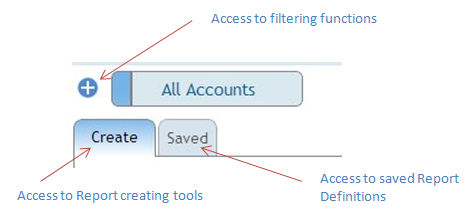
[[File:CreateSaved.PNG|right]] | [[File:CreateSaved.PNG|right]] | ||
Revision as of 12:38, 4 October 2013
Reporting in Ellserve
Ellserve reporting is designed to output data in user-defined formats either to screen in html format or as a downloadable csv file.
Useful report definitions can be stored for later use using the same absolute/relative date settings used in on-screen controls.

| Access |
|
|---|---|
| Purpose |
|
Reporting provides access to the following data tpes:
A feature to download invoice source data is provided separately in the
